Thousands of ACCA students struggle with login issues every year, but the solution is simpler than you think. In the next few minutes, I'll reveal the correct way to access your ACCA account without wasting hours searching for answers.
To log in to your ACCA account, visit the official myACCA portal at accaglobal.com, enter your ACCA registration number or email address along with your password, and click sign in. If you've forgotten your login details, use the "Forgot Password" or "Forgot Username" links on the same page to recover access within minutes.. ICT Business School
Whether you're a student preparing for exams or a qualified member managing your subscription, the ACCA login process is simple once you know the right steps. This guide walks you through everything — from signing in to recovering a locked account.
ACCA Login
ACCA login refers to the process of signing into your official ACCA account through the myACCA portal. This is the central hub for students and members of the Association of Chartered Certified Accountants (ACCA), used for exam booking, results, payments, and profile management.. ICT Business School
Every registered ACCA student and member is issued a unique login ID (registration number) during registration. This ID, paired with a password, gives you secure access to your personal ACCA dashboard.
The ACCA login portal is available 24/7 and works on both desktop and mobile browsers, so you can check your account anytime, anywhere.
My ACCA Login
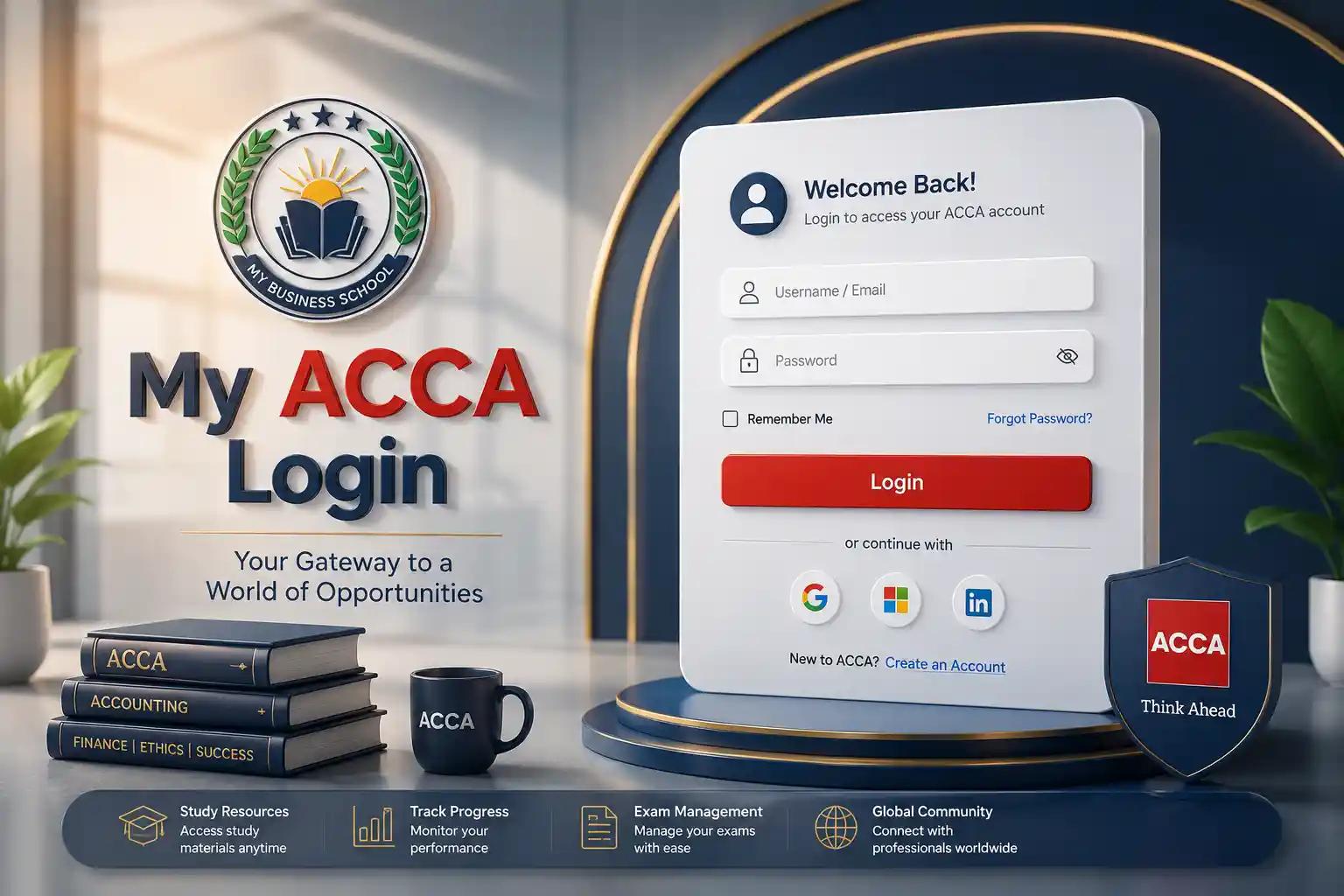
"My ACCA " (myACCA) is your personal online account with ACCA. It's where students and members manage almost everything related to their qualification journey.
Through myACCA, you can:
- Book and manage exams
- Check exam results
- Pay subscription and exam fees
- Update your personal profile and contact details
- Download certificates and statements
- Track your ACCA membership status
To access myACCA, you simply need your registration number (or email) and password — the same credentials used for the general ACCA login.
ACCA Account Login
Logging into your ACCA account takes less than a minute if you have your credentials ready. Here's the step-by-step process:
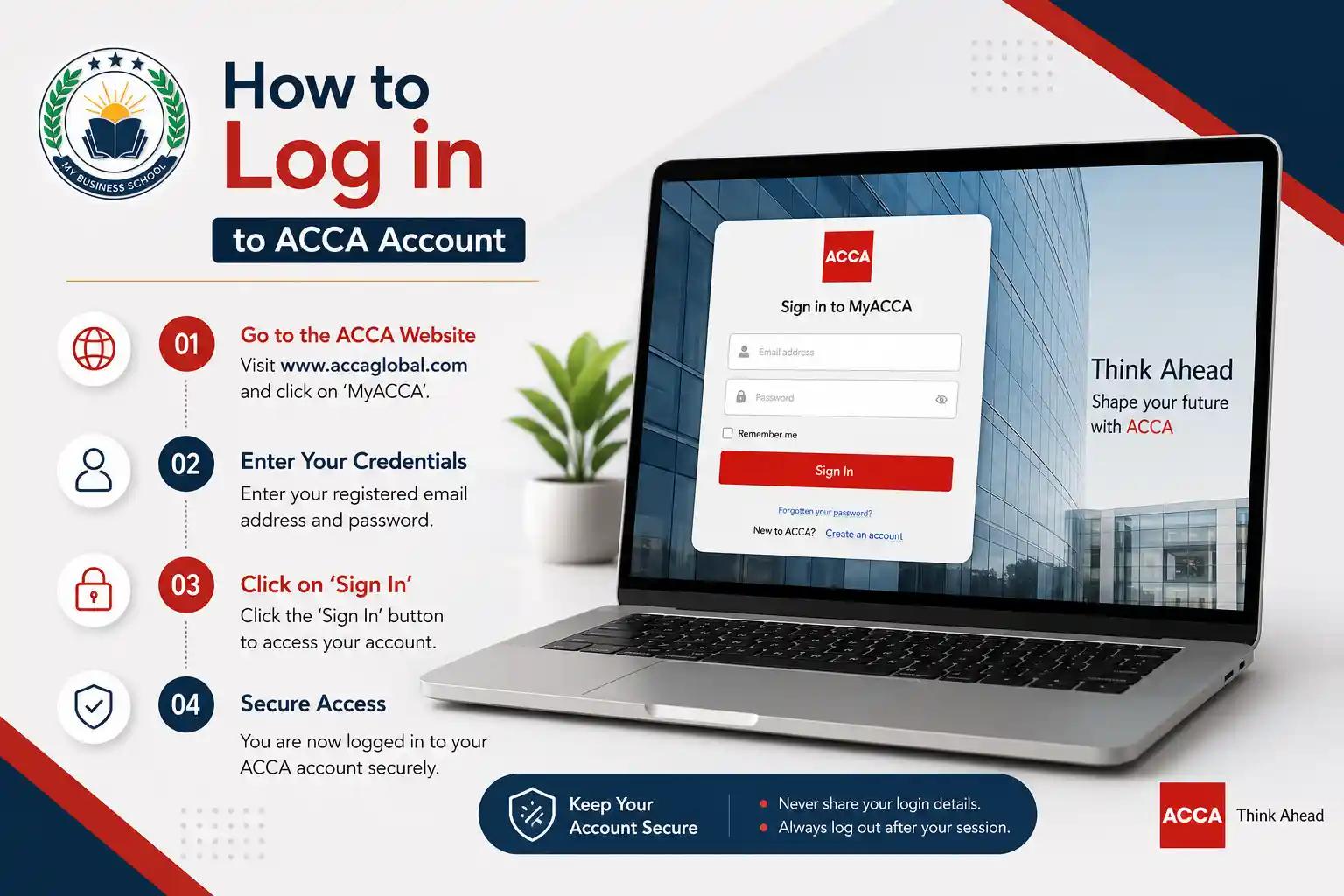
- Go to the official ACCA website (accaglobal.com)
- Click on "myACCA Login" located at the top of the homepage
- Enter your ACCA registration number or registered email address
- Type in your password
- Click "Sign In". ICT Business School
- You'll be redirected to your personal ACCA dashboard
Login requirements you'll need:
- A valid ACCA registration number or email
- Your account password
- A stable internet connection
- An updated browser with cookies enabled
If your details are correct, you should reach your dashboard instantly. If not, double-check for typos, extra spaces, or caps lock issues before trying a password reset.
How to Log in to ACCA Account
For a smooth login experience, follow this simple checklist:
- Use the official ACCA website only — avoid third-party links
- Make sure cookies and JavaScript are enabled in your browser
- Clear your browser cache if the page isn't loading properly
- Try a different browser (Chrome, Firefox, or Edge) if you face issues
- Ensure your registration number is entered without spaces
Students preparing for exams often log in frequently to check exam dockets, book exams, or track their exam planner. Members typically log in for subscription payments, CPD records, and certificate downloads.
If you're new to ACCA and don't have an account yet, you'll need to complete ACCA registration first. Once registered, ACCA emails you your login credentials, including your registration number.
How to Recover ACCA Account
Getting locked out of your ACCA account is common, especially if you haven't logged in for a while. Here's how to recover it:
Forgot Password:
- Go to the myACCA login page
- Click "Forgot Password"
- Enter your registered email address or registration number
- Check your email for a password reset link
- Create a new password and log in
Forgot Username or Registration Number:
- Click "Forgot Username" on the login page
- Enter your registered email address
- ACCA will send your registration number to your email
Account Locked After Multiple Attempts:
If your account gets locked due to repeated failed login attempts, wait a short period before retrying, or use the password reset option to regain access immediately.. ICT Business School
Password reset emails usually arrive within a few minutes. If you don't see it, check your spam or junk folder before contacting ACCA support.
ACCA Login ID
Your ACCA login ID is essentially your ACCA registration number — a unique identifier assigned when you first register as a student or member. This number never changes throughout your ACCA journey, even after you qualify and become a member.
You can also log in using your registered email address instead of your registration number, as long as it matches the one on file with ACCA.
Tip: Save your ACCA registration number somewhere safe (like a password manager) since you'll need it for exam bookings, verification, and account recovery throughout your career.
How to Create a myACCA Account
If you're new to ACCA, you'll need to register before you can access myACCA. Here's the general process:
- Visit the ACCA registration page on the official website
- Choose your route (student, professional qualification, or exemptions route)
- Fill in your personal details and educational background
- Upload required documents (ID, academic certificates)
- Pay the registration fee
- Receive your registration number and login credentials via email
Once registered, you can immediately log in to myACCA to start booking exams and managing your account.
Students preparing through structured coaching often find registration and exam planning easier with proper academic support. ICT Business School offers guided ACCA preparation designed around the official ACCA curriculum, helping students stay on track from registration through to qualification.
Expert Guidance
From an academic support standpoint, here's practical advice for managing your ACCA account smoothly:
- Save your credentials securely. Use a password manager rather than writing your registration number and password on paper.
- Log in regularly, even between exam sittings, to avoid account inactivity issues.
- Update your email address immediately if you change it, since ACCA sends all official communication (results, exam dockets, renewal notices) to your registered email.
- Enable two-step verification if ACCA offers it for your account type, to add an extra layer of account security.
- Don't share your login details with anyone, even study partners or tutors.
- Check your subscription status each year before the renewal deadline to avoid losing active student or member status. ICT Business School
Students who structure their ACCA journey alongside expert academic guidance tend to manage exam bookings and deadlines more efficiently. You can explore ACCA preparation courses at ICT Business School for structured support alongside your self-managed myACCA account.
Quick Reference Table: ACCA Login at a Glance
| Login Element | Details |
|---|---|
| Login Portal | myACCA (via accaglobal.com) |
| Login ID | ACCA registration number or registered email |
| Password Recovery | Forgot Password" link on the login page |
| Username Recovery | Forgot Username" link on the login page |
| Availability | 24/7 online access |
| Mobile Access | Yes, via a mobile browser |
| Common Uses | Exam booking, exam results, fee payment, profile updates |
| Support Contact | ACCA Student Support / ACCA Member Services |
Key Facts
- ACCA stands for the Association of Chartered Certified Accountants.
- myACCA is the official online portal for both students and members.
- Your ACCA registration number acts as your permanent login ID.
- Password resets are handled instantly through the "Forgot Password" link.
- The ACCA portal is used for exam booking, results, payments, and CPD records.
- Login issues are usually caused by incorrect credentials, browser cache problems, or account inactivity.
- ACCA login is accessible from any country, including Pakistan, UAE, UK, India, and Malaysia.
- Students in Pakistan can get structured ACCA exam preparation support through institutes like ICT Business School.
Why Choose ICT Business School for Your ACCA Journey
Beyond just managing your ACCA login, succeeding in the qualification requires structured preparation. Why choose ICT Business School comes down to its focus on result-oriented coaching for professional qualifications, including:
- ACCA – Full support from registration through to affiliate status
- CA (ICAP pathway) – For students pursuing chartered accountancy in Pakistan
- CIA (Certified Internal Auditor) – Internal audit specialization
- CMA – Management accounting qualification
- O/A Levels – Foundational academic programs
- HND (Higher National Diploma) in Business
- Pearson BTEC Level 3 and Level 7 Extended Diploma programs
Students managing their own myACCA account while balancing coursework often benefit from having academic mentors guide their exam planning and registration decisions. You can browse all available programs to see which route fits your career goals.
FAQs
How do I log in to my ACCA account? Visit the myACCA portal on the official ACCA website, enter your registration number or email, add your password, and click sign in.
Where is the ACCA login page? The ACCA login page is accessible directly from the ACCA official website homepage under "myACCA Login."
Why can't I log in to my ACCA account? Common reasons include incorrect credentials, an inactive account, browser issues, or a locked account after multiple failed attempts.
How do I reset my ACCA password? Click "Forgot Password" on the login page, enter your registered email, and follow the reset link sent to your inbox.
Can I access myACCA on mobile? Yes, the myACCA portal works on mobile browsers, though there's no dedicated official mobile app.
Is myACCA available 24/7? Yes, except during scheduled maintenance windows, which ACCA typically announces in advance.
Can I log in to ACCA using just my email address? Yes, as long as the email matches the one registered on your ACCA account.
How do I contact ACCA support if I still can't log in? You can reach ACCA Student Support or Member Services directly through the "Contact Us" section on the official ACCA website.
Conclusion
Logging into your ACCA account doesn't need to be complicated. With the right registration number or email, a secure password, and the official myACCA portal, you can manage exams, payments, and your profile in just a few clicks.
If you're preparing for ACCA exams and want expert guidance alongside managing your account, ICT Business School offers structured coaching for ACCA, CA, CIA, CMA, and other professional qualifications.
Ready to start or continue your ACCA journey with expert support? Explore ACCA and other professional courses at ICT Business School or get in touch with our academic advisors today to plan your path to qualification.